Skip to content
DRIV Web application Cloud or company server

From quotation to production, one single flow.

The web application for companies that make and install lifts. Enter the data once, in the quote, and everything starts from there. Sales, engineering and workshop work on the same archive.

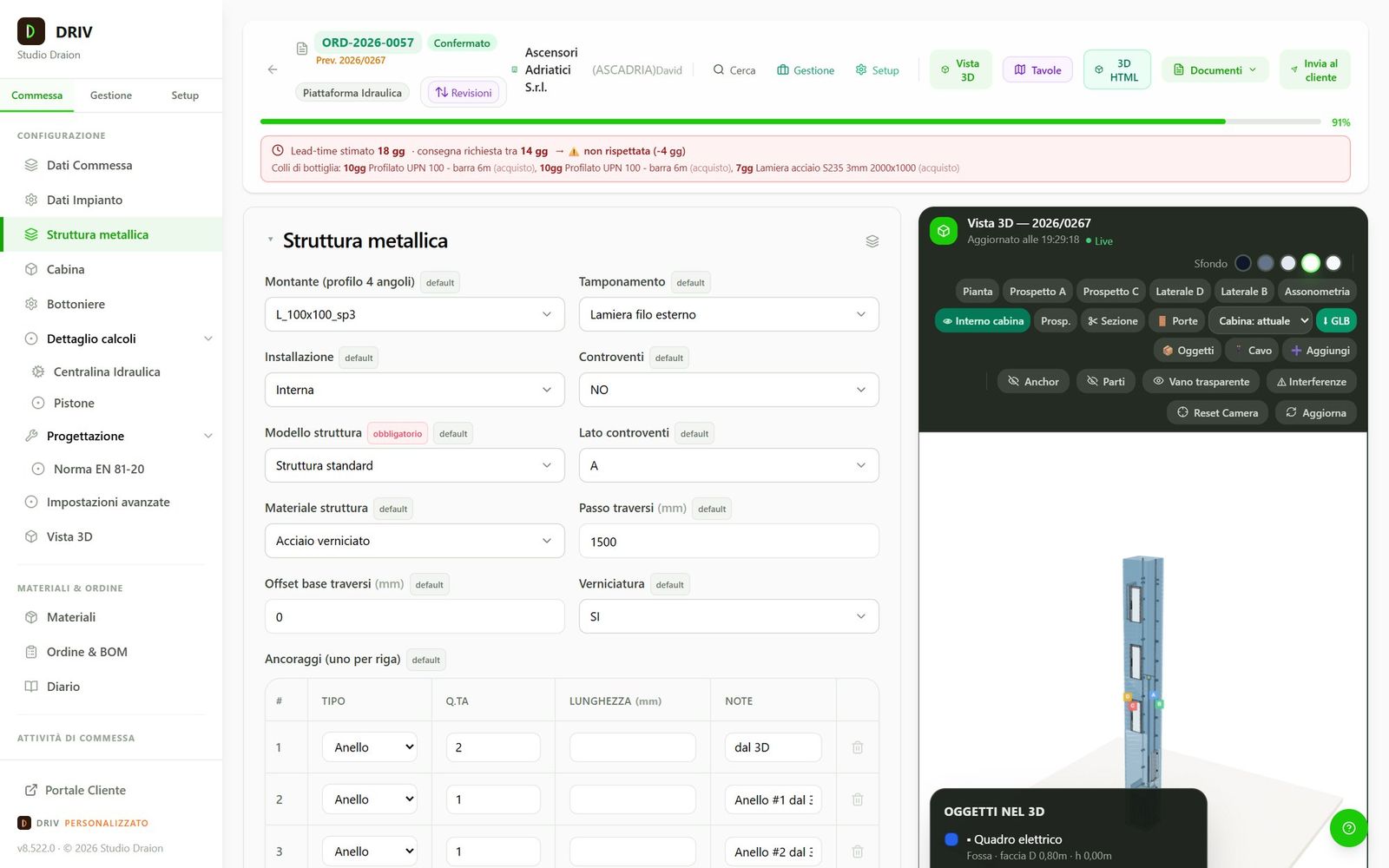
DRIV configurator: Steel structure section with profiles, cladding and anchors, and on the right the 3D of the lift
Fields on the left, on the right the 3D updating as you fill them in.
  1. Quotation
  2. Offer
  3. Drawings
  4. BOM
  5. Operations
  6. Delivery
  7. After-sales

The packages

Start on the floor you need. Then go up.

Each package includes the previous one and adds a department. Start with quotes and move up when you're ready, with no data migration.

  1. FLOOR 1

    Quote

    For those who sell

    Configurator with your rules, price list and an offer ready to send.

    • Rule-based configurator
    • Price list and Word or PDF offer
    • Doors and landings
    • Documents for the client
  2. FLOOR 2

    Draw

    To attach drawings to the offer

    Everything in Quote, plus the drawing of the lift.

    • 3D of the lift
    • Plan and elevations
    • DXF and PDF drawings
    • Technical file
  3. FLOOR 3

    Design

    For the technical office

    Everything in Draw, plus calculation checks at every change.

    • Guide rails, ropes and pulleys
    • Hydraulics and buckling
    • Catalogues for choosing components
  4. FLOOR 4

    Assemble

    For those who buy and fit

    Everything in Design, plus the bill of materials and what follows it.

    • Bill of materials with weights and costs
    • Supplier orders
    • Requirements planning
    • Warehouse
  5. FLOOR 5

    Produce

    For those with a workshop

    Everything in Assemble, plus production of the job.

    • Operations by work centre
    • Weekly loads and Gantt
    • Progress and hours
  6. FLOOR 6

    Manage

    For the whole company

    Everything in Produce, plus administration and after-sales.

    • Electronic invoicing and delivery notes
    • Service, tickets and times
    • Portal for your clients
    • Analytics and margins
    • Job diary

Add-on modules to add to the package when needed

Truss

The steel shaft structure, with the Truss engine inside the quote.

Parametric CAD

SolidWorks and Inventor models from your masters, with the job's dimensions.

Objects and wiring

Objects and cables with their lengths, in the 3D and in the documents.

AI assistant

Tells you where an item comes from or why a rule didn't fire. The Premium version also suggests rules.

Mail

Company email inside DRIV, linked to your clients.

Attendance

Clocking in from a tablet, leave records and monthly summary for payroll.

Content and campaigns

News and promotions on the home page and in your clients' portal.

Job diary

The job's history on a timeline, with planned and actual deadlines.

Two kinds of seat so you do not pay for the configurator for those who do not use it

Full

For sales, engineering and administration.

Operational

For workshop and warehouse: operations, picks and times, at about a third of the cost.

Three departments, one archive

Everyone works on everyone else's data.

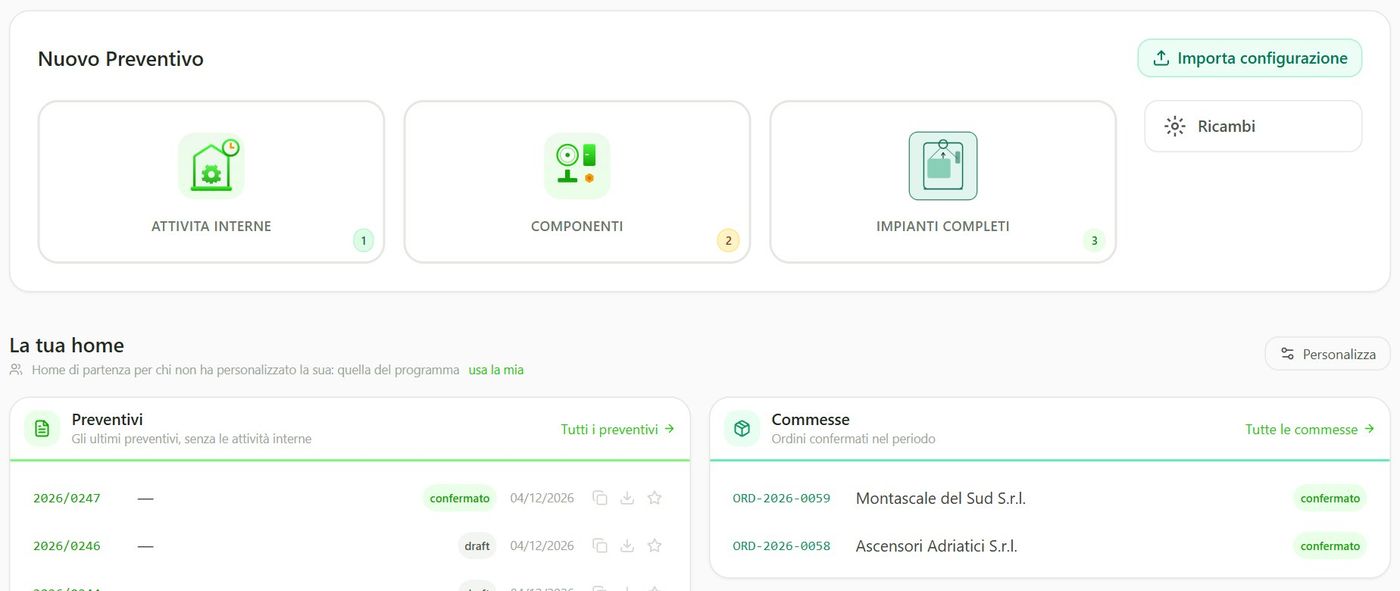
Change the quote and DRIV updates drawings, bill of materials and operations. Every change is kept as a revision.

DRIV home page with new quotation, latest quotations and jobs

Sales

Configure, price and send the offer with drawings.

  • Price list items calculated from the quotation data
  • Word or PDF offer with plan and elevations
  • Sent to the client with the 3D in an HTML file
  • Requested date compared with lead times of critical materials
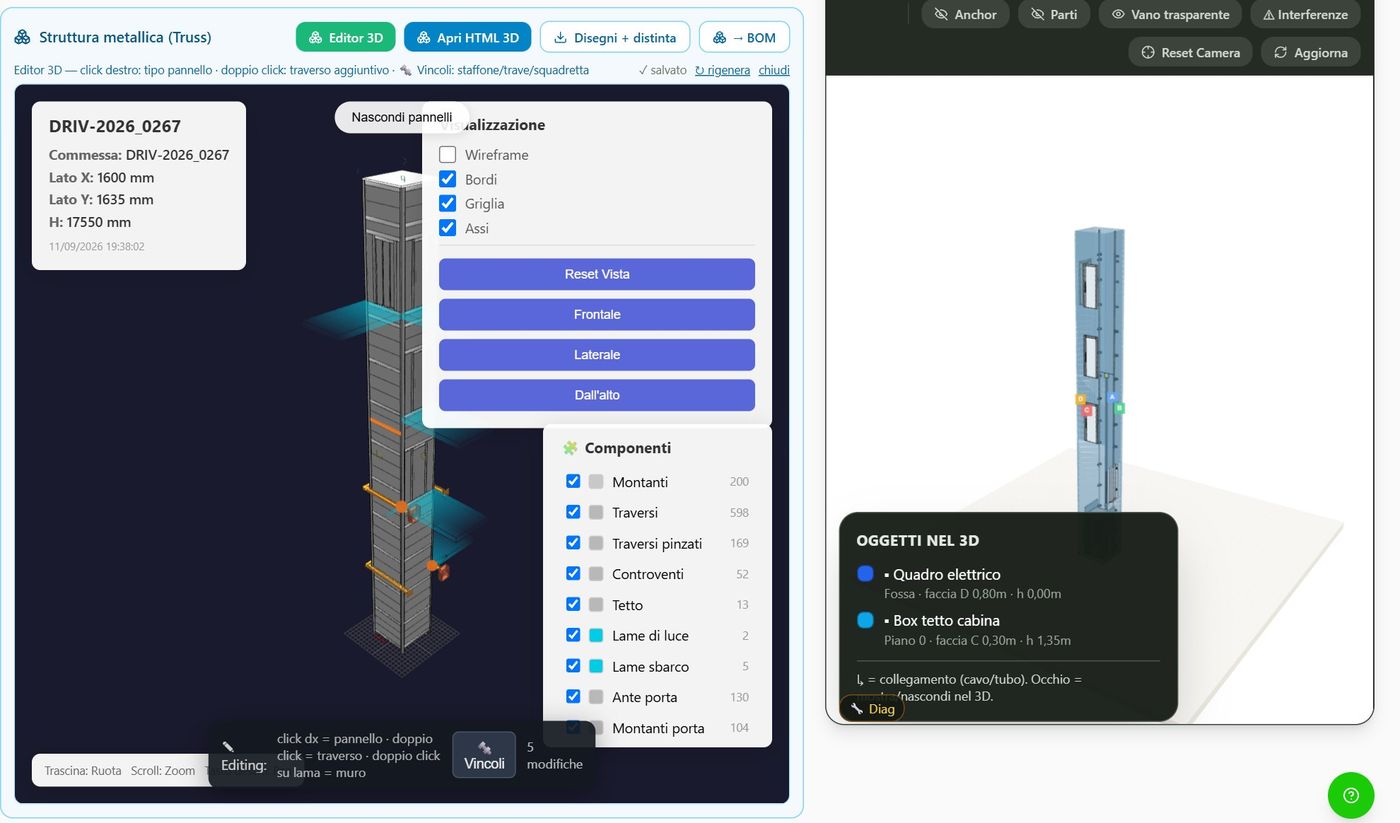
DRIV 3D editor with the shaft steel structure and the components

Technical office

Rules, calculations and documents from the same quotation.

  • 3D editor with interference checks
  • DXF and PDF drawings with your title block
  • Technical file and IFC model for BIM
  • Solid models through the CAD agent
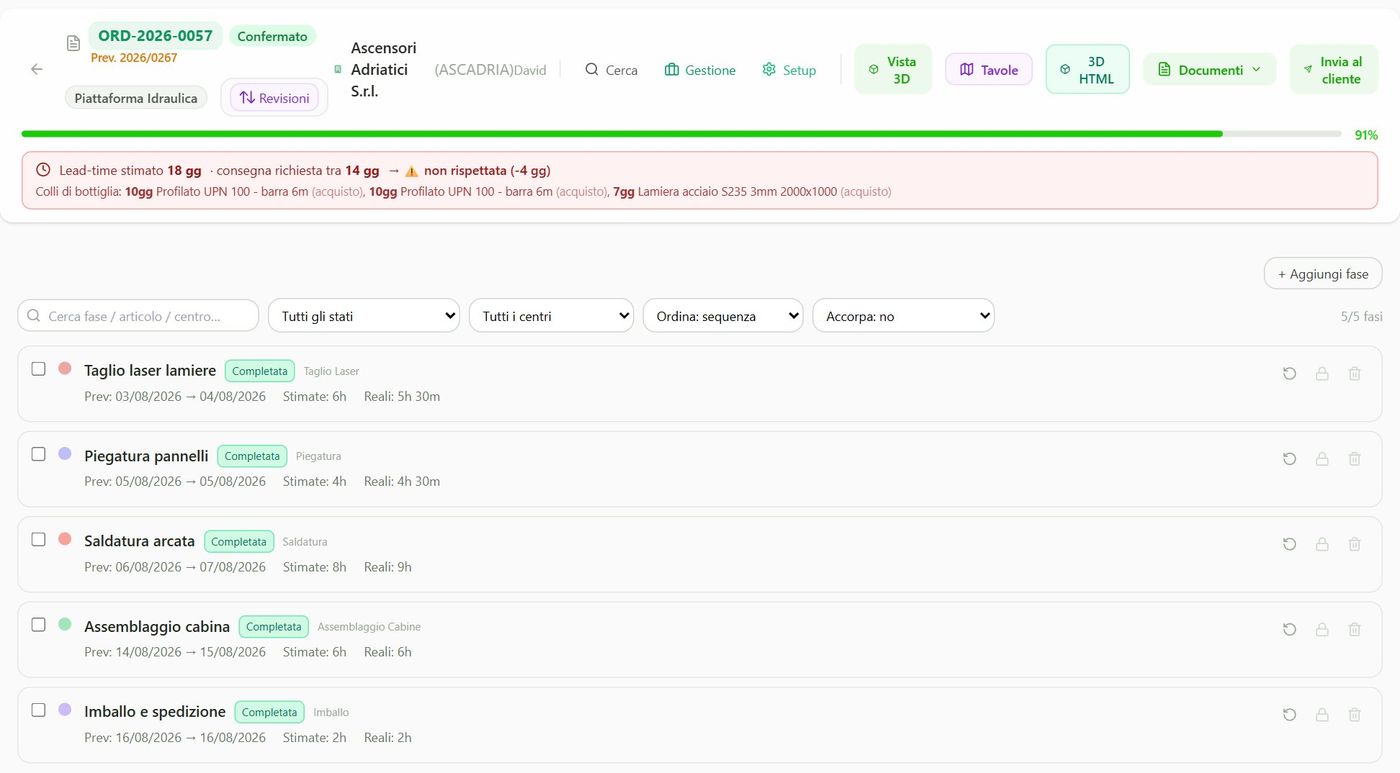
Operations of a job in DRIV with planned dates and estimated versus actual hours

Production

From the confirmed job to operations, purchasing and shipping.

  • Operations by work centre, estimated and actual hours
  • Requirements and supplier orders
  • Warehouse with locations and batches
  • Picking, packing list, delivery notes

Drawings for the client

The complete lift, even if you sell a single component.

In DRIV every product sits inside the lift: shaft, cabin, doors, guide rails, operating panels. Even if you only sell the controller, the structure or the cabin, you attach the drawing of the complete lift to the offer.

Whatever you haven't decided yet starts from defaults. You fix it later.

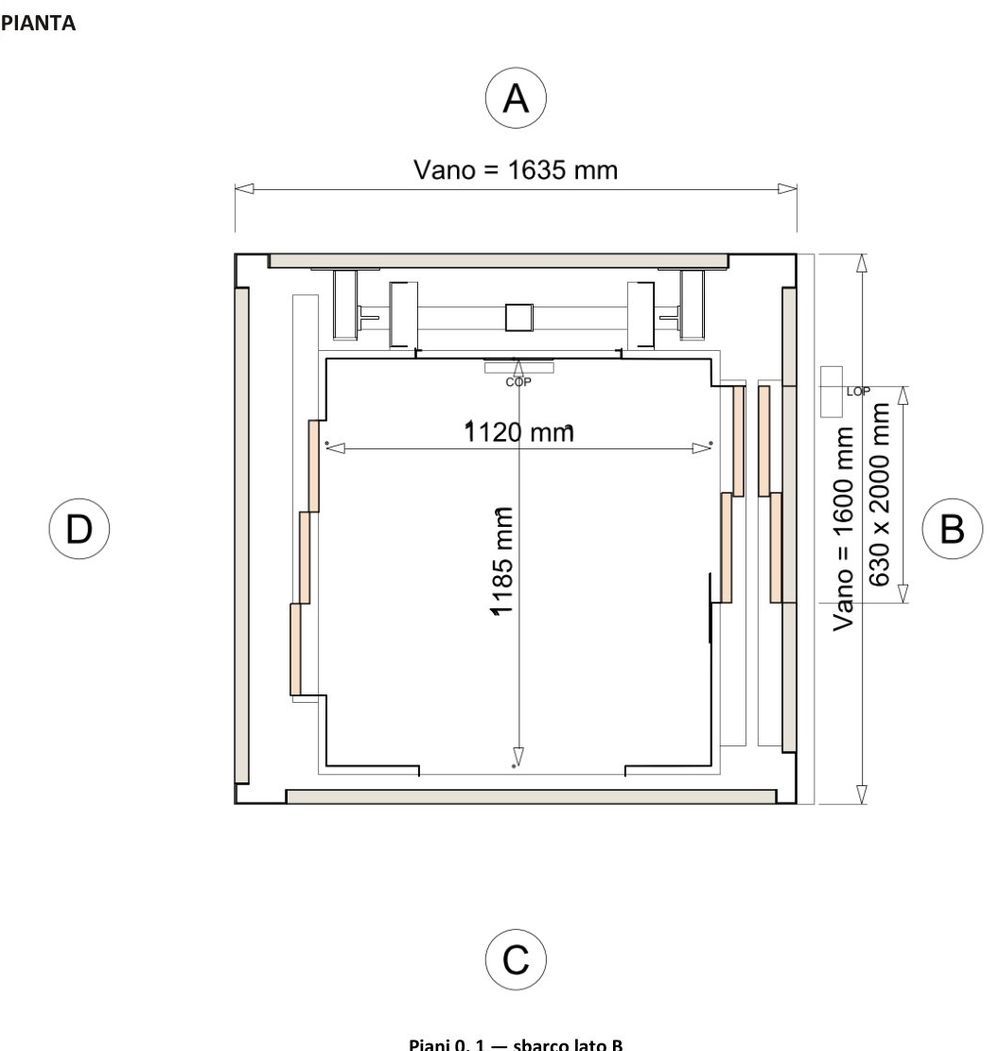
Dimensioned plan of the shaft with the cabin, taken from a DRIV offer
Dimensioned plan
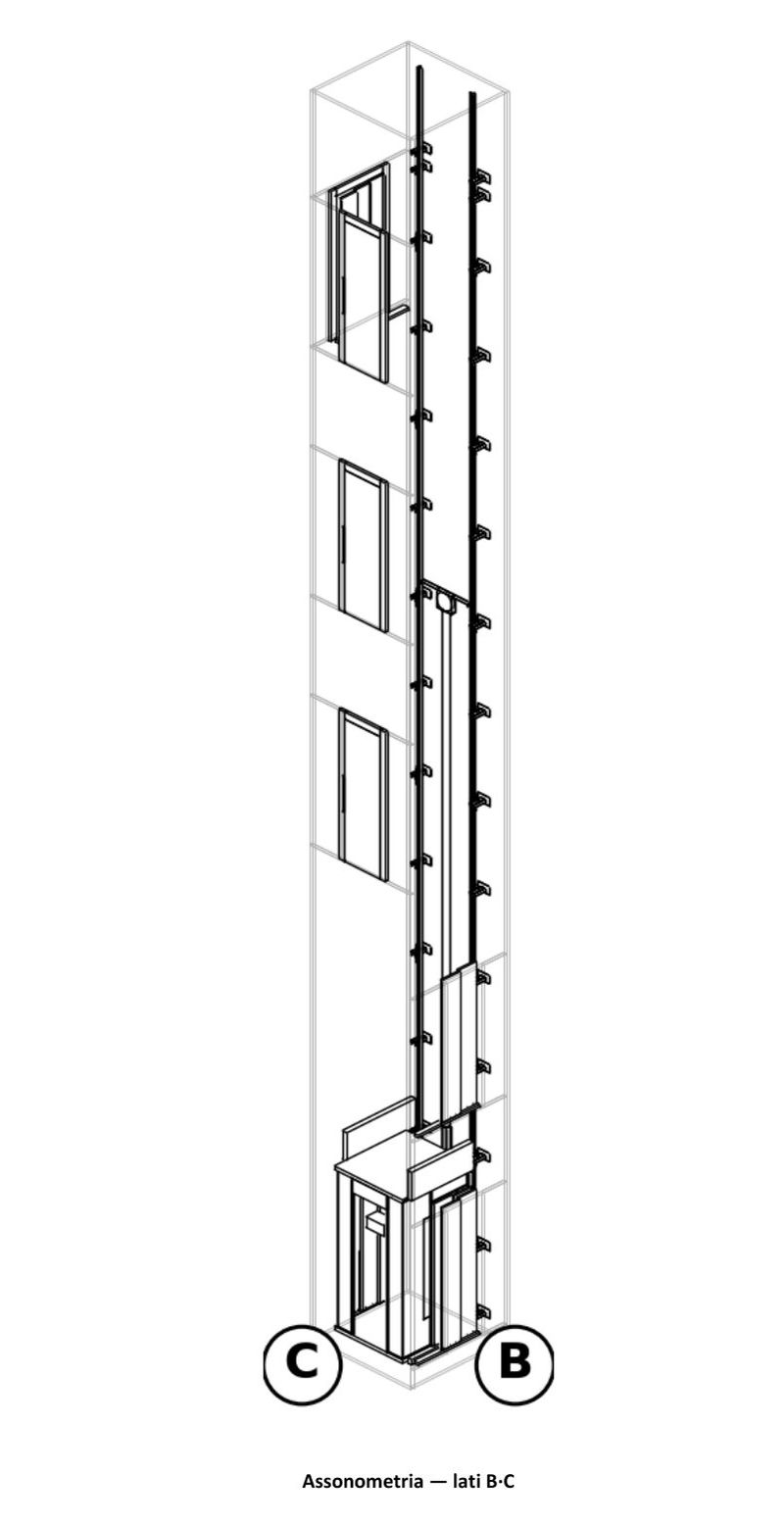
Axonometric view of the lift, taken from a DRIV offer
Axonometric view

From an offer generated by DRIV, untouched.

The cabin in 3D

Real materials, real light.

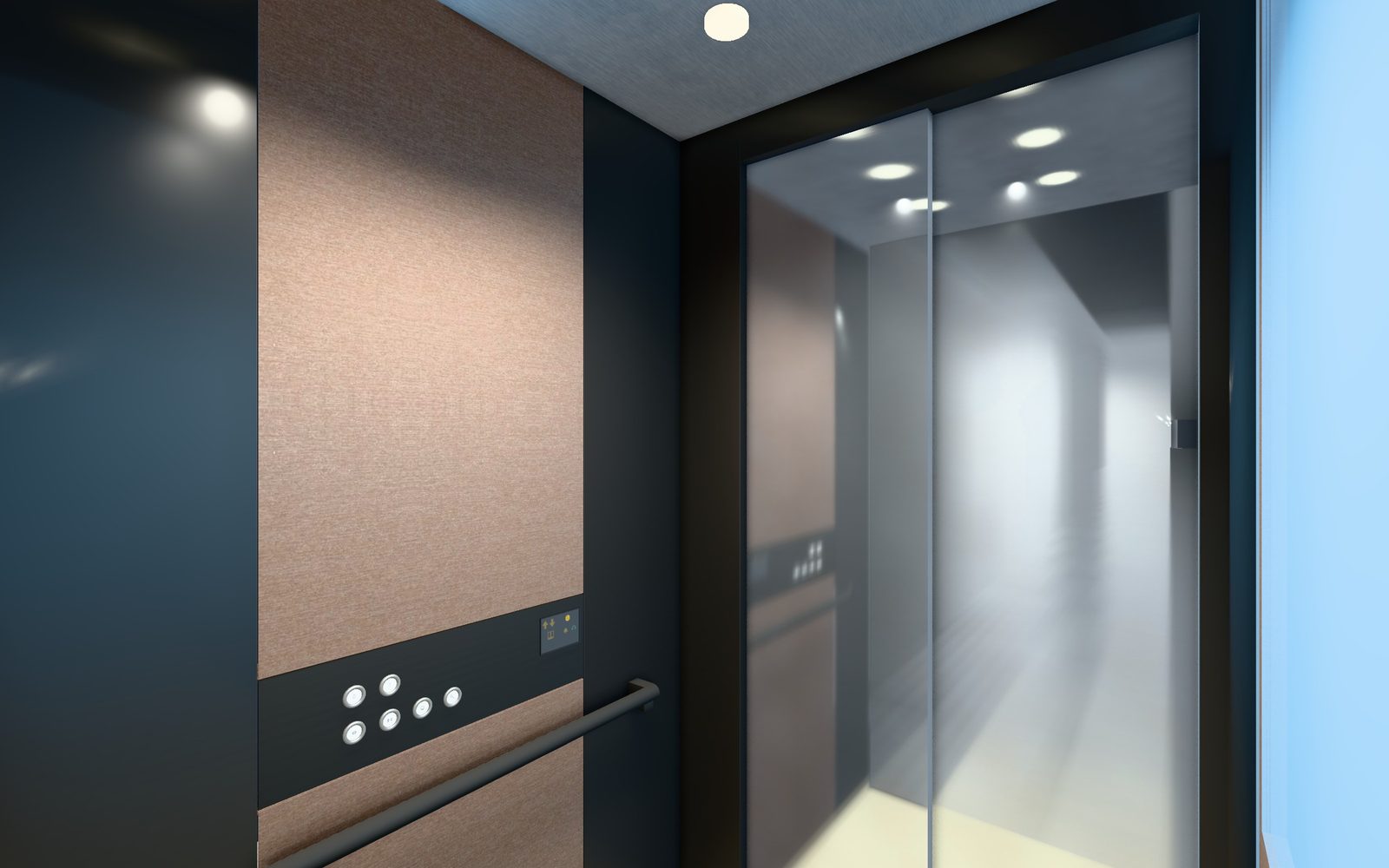
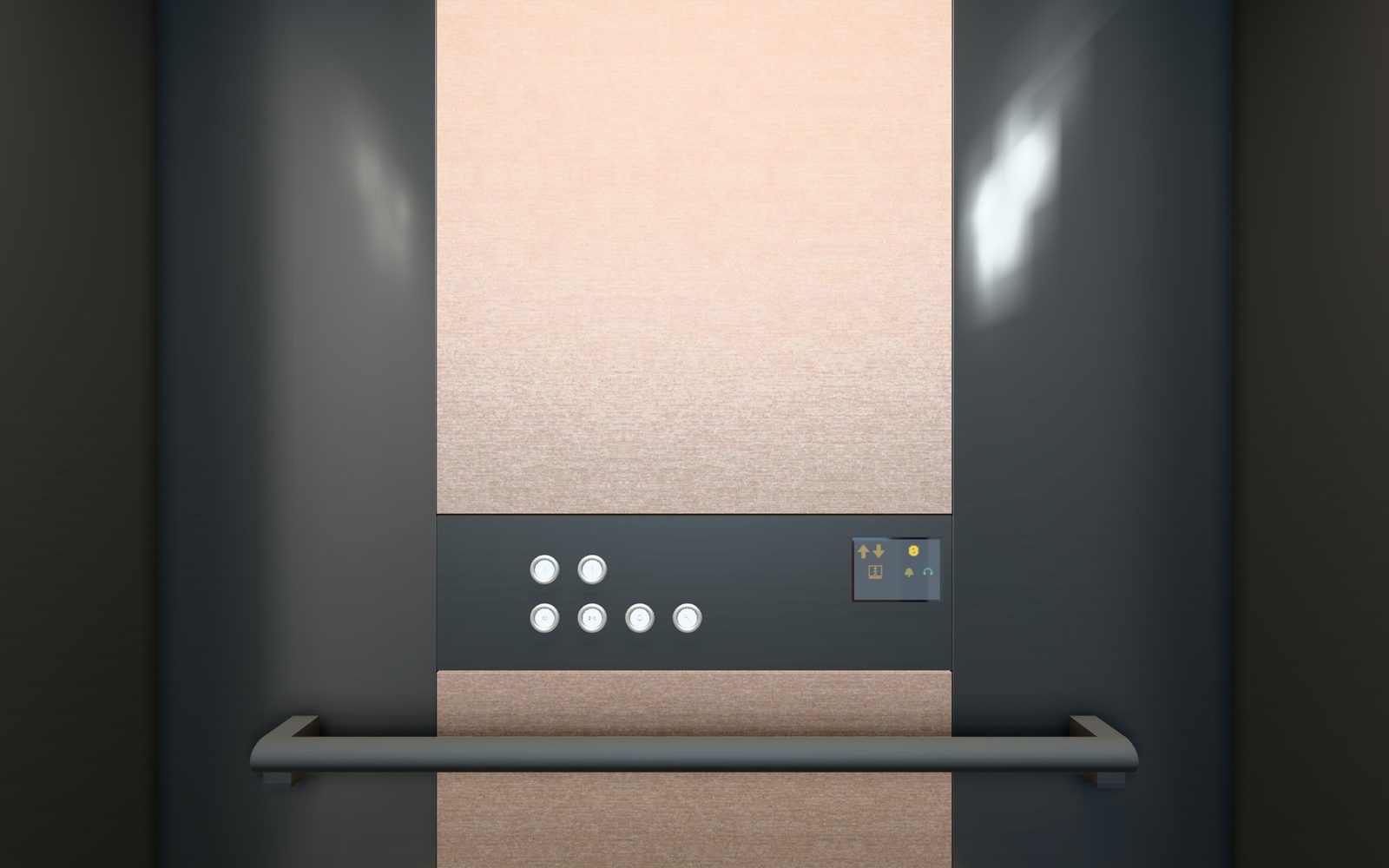
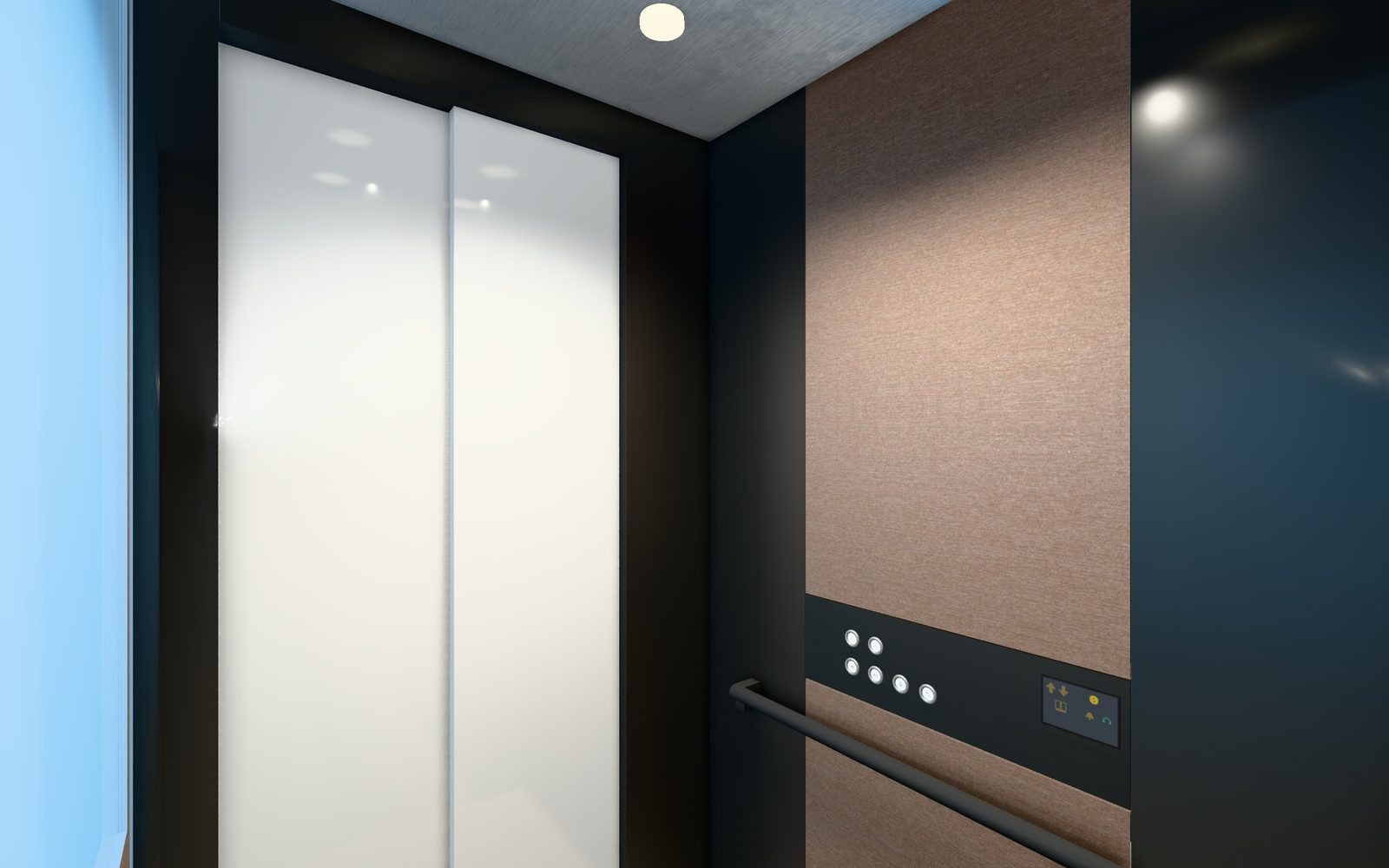
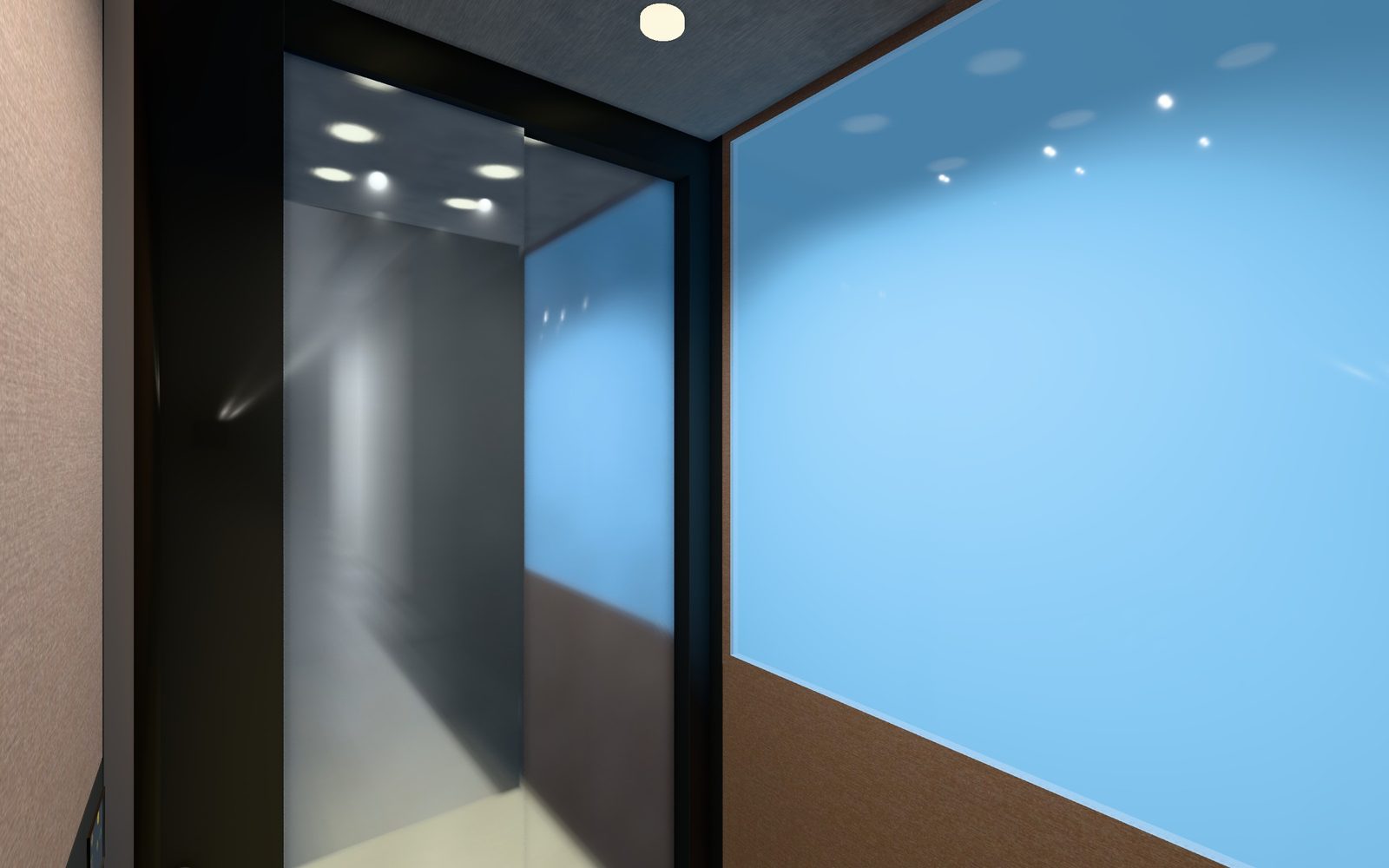
Finishes, mirrors, glass, operating panels and handrails as they'll really be, with lights and reflections. Step into the cabin and try a finish before you choose it.

Cabin interior: mirror wall, horizontal operating panel with display, handrail and spotlights
Mirror and spotlights
Car operating panel with buttons, display and handrail
Operating panel and display
Telescopic car door seen from the inside
Car door
Panoramic glass and mirror wall with the cabin's reflections
Panoramic wall

Images taken from the DRIV 3D, untouched. The client gets the same 3D as an HTML file.

What's behind it

A configurator that knows the lift.

It's not an order form: behind every field there are rules, calculations and items. What comes out is a complete lift, ready to build.

01

Your rules

You change fields, rules, price lists and document templates yourselves, on screen. The rules fill in values, rule out incompatible choices and pick the items.

02

Calculations at every change

Guide rails, ropes, pulleys, ram and power unit: the checks run while you configure.

03

Weights and costs from the part

Weight from flat pattern, thickness and material, cost per kg with cutting and bending. If data is missing, DRIV tells you: it never makes it up.

04

Generated documents

Word, PDF, Excel, DXF and IFC generated from the job. Download them, email them or archive them.

05

3D to share

The client opens the lift's 3D in the browser, with nothing to install.

06

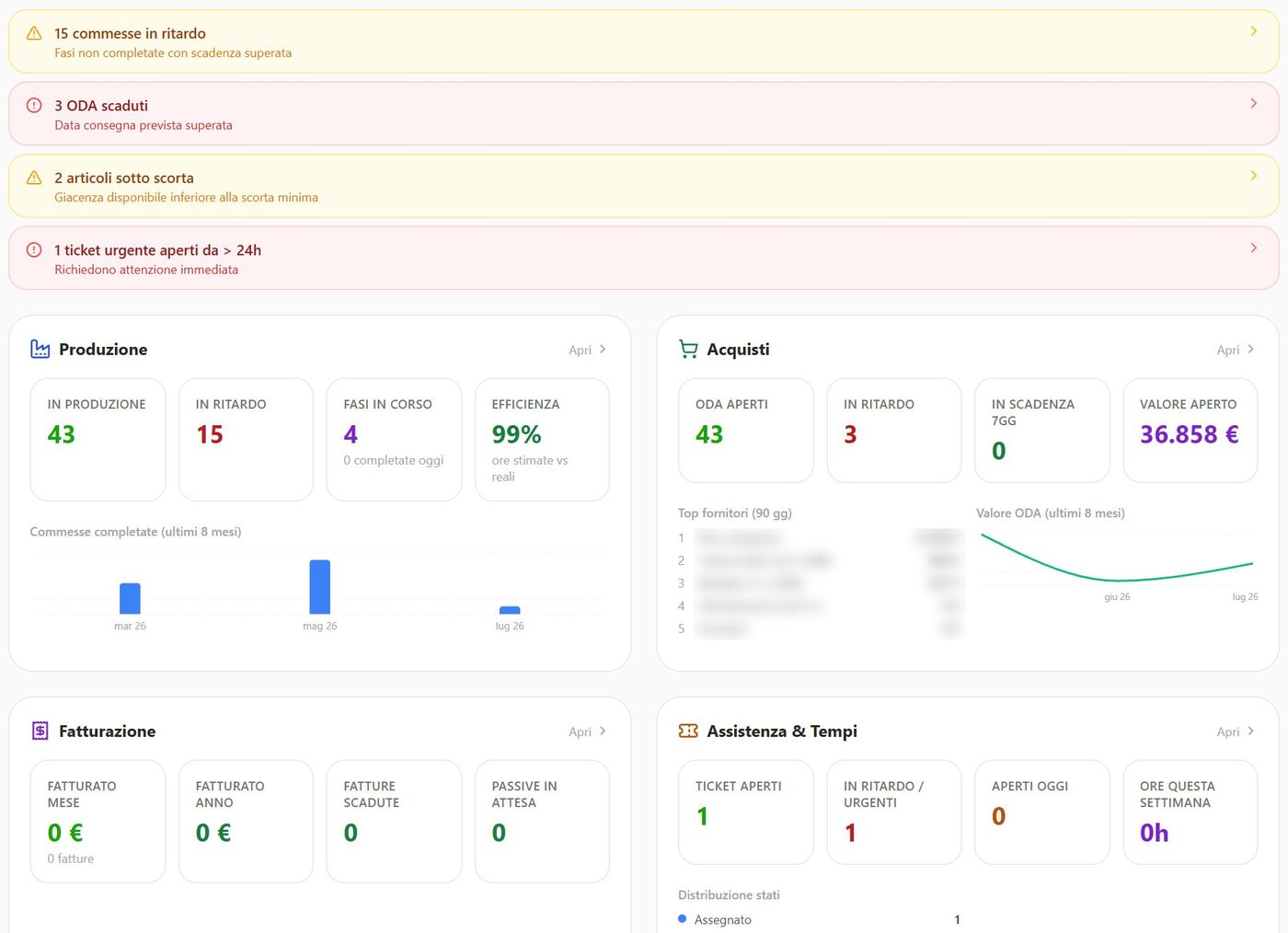
Dashboards

Delays, overdue orders, stock, offers and margins, right on the home page.

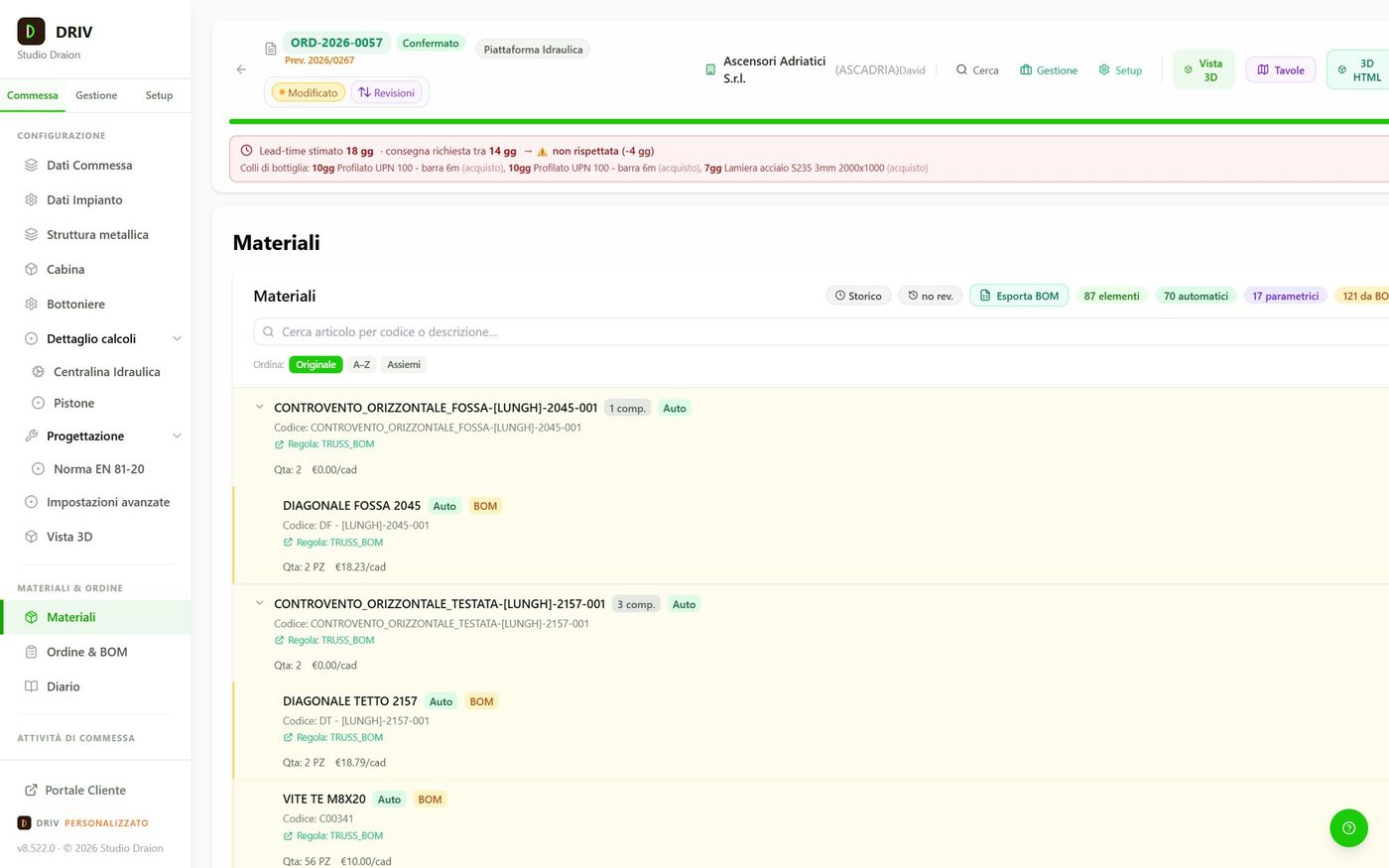
Job bill of materials in DRIV with a lead-time warning
DRIV dashboard with production, purchasing, invoicing and service

Images from the real application, with sample data.

Where it runs

In the cloud or on your own server.

DRIV runs in the browser, nothing to install. We update it in one place and everyone has the same version.

Option A

In the cloud

On our servers. We handle updates and backups; you buy no hardware.

Option B

On your own server

On site, on Windows Server with SQL Server and IIS. Data stays on your network; access from outside is optional.

With both

CAD agent at your company

One of your PCs with SolidWorks or Inventor, using the licence you already have, generates solid models and sheet-metal DXF files. A small program receives parts and dimensions from DRIV, creates the files on your network and reports back.

Tailored

It adapts to you, not the other way round.

Products, rules, documents and permissions are set up, not programmed. DRIV grows with your catalogue.

A

With your brand

Your logo, colours and headers, even with several brands.

B

Several companies, one installation

One archive per company or brand. Each user sees only their own.

C

Roles and permissions

Roles, groups and permissions by section, with the activity log.

D

Client portal

Your clients see lifts, orders and reports in a private area with your brand.

E

Data from Excel

Prices and coefficients from Excel; items, parts and bills of materials from Truss.

F

Anywhere

Office, workshop or a tablet on site: a browser is all you need.

How to start

From demo to go-live, in five steps.

Goodbye to the quote spreadsheet, to redrawing the lift for every offer and to copying bills of materials by hand.

  1. Demo

    On one of your lifts, with real data.

  2. Trial

    One or two months, with a few users.

  3. Templates

    We load your products: rules, bills of materials, price lists.

  4. Documents

    Offer, drawings and shop-floor documents on your templates.

  5. Go-live

    Training for sales, technical office and workshop.

Together with the other software

DRIV, Truss and Nexum talk to each other.

Truss Steel shafts

The same engine as Truss for Windows calculates the structure. In DRIV you set it up from the quote or the 3D, and it ends up in drawings, bill of materials and offer.

Discover Truss

Nexum Technical knowledge

Open a service ticket and DRIV suggests the technical rules closest to the problem. When you close it, you note which ones you used.

Discover Nexum

Let's see DRIV on your product.

We take one of your lifts and show you offer, drawings, bill of materials and operations. Then we pick the right floor together.

Request a demo